

Before you begin
Ensure you have:- A release-ready APK file signed with your release key.
- App metadata prepared (name, description, screenshots, icon).
- A Solana wallet browser extension (Phantom, Solflare, etc.) with sufficient SOL.
- Reviewed the Publisher Policy and Developer Agreement
1. Sign up for a Publisher Account
- Navigate to the Publisher Portal and sign up for an account.
- Fill out your publisher profile and submit your KYC/KYB verification.
2. Connect your publisher wallet
- Connect a Solana wallet via a browser extension wallet (e.g Phantom, Solflare, Backpack). This will be your publisher wallet.
- Ensure the publisher wallet has sufficient SOL (~0.2 SOL) to cover transaction fees and ArDrive upload costs.
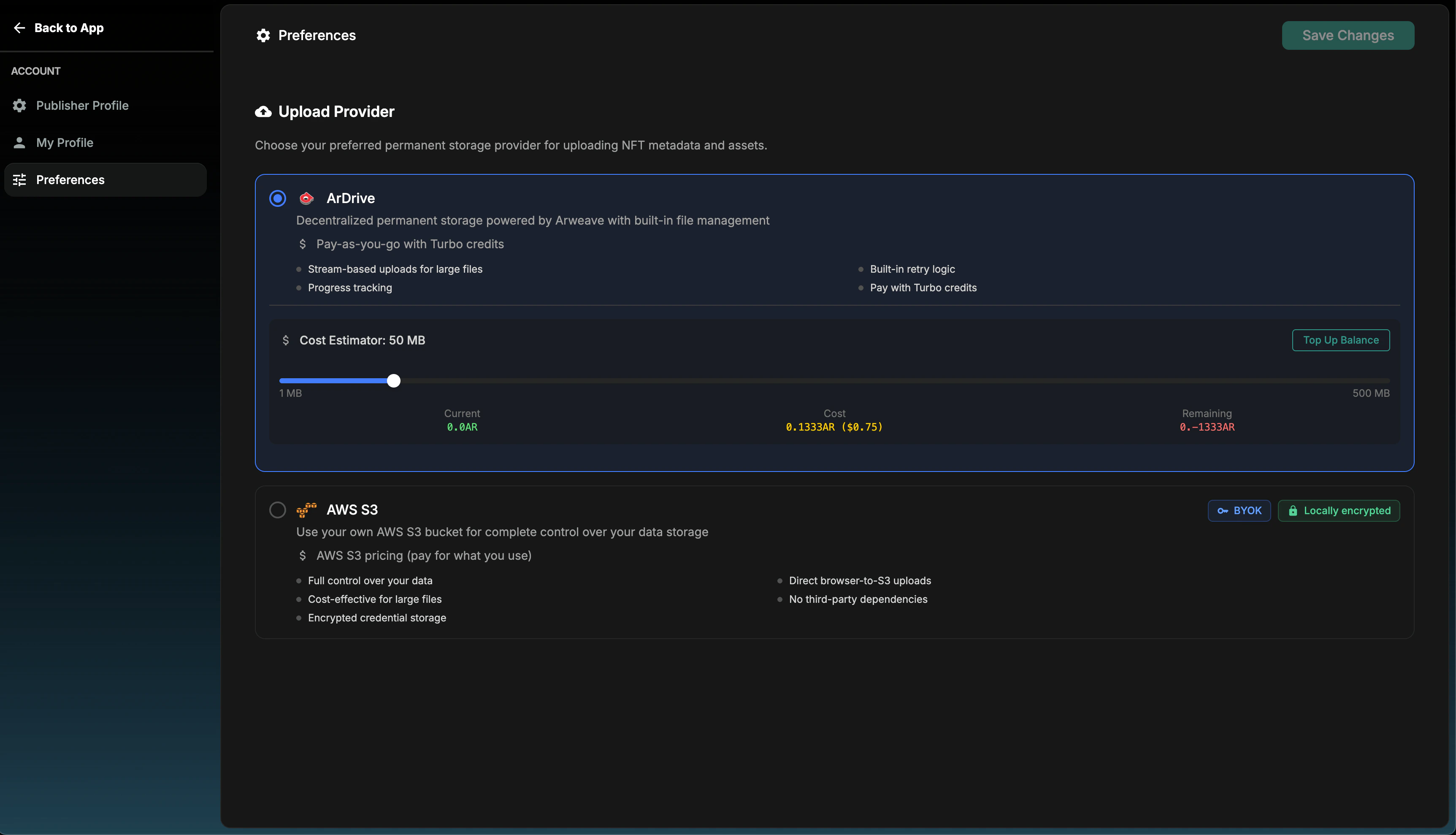
3. Set a storage provider
Your storage provider selection determines where all your dApp assets (e.g APK file, Icon, Description, Preview Images/Videos, etc) are uploaded and stored during app submission. ArDrive is recommended for storage costs and ease of setup. Use the storage cost tool to estimate the SOL amount required for upload based on your app’s size.ArDrive uploads are paid from a storage balance, shown by the cost estimator
next to the estimated cost. If the remaining balance would go negative, use
Top Up Balance to fund it before submitting. AWS S3 uploads go to your own
bucket and have no balance to top up.
4. Add your dApp details
In the bottom-left menu, press “Add a dApp” > “New dApp” and a form will appear where you can input your app details.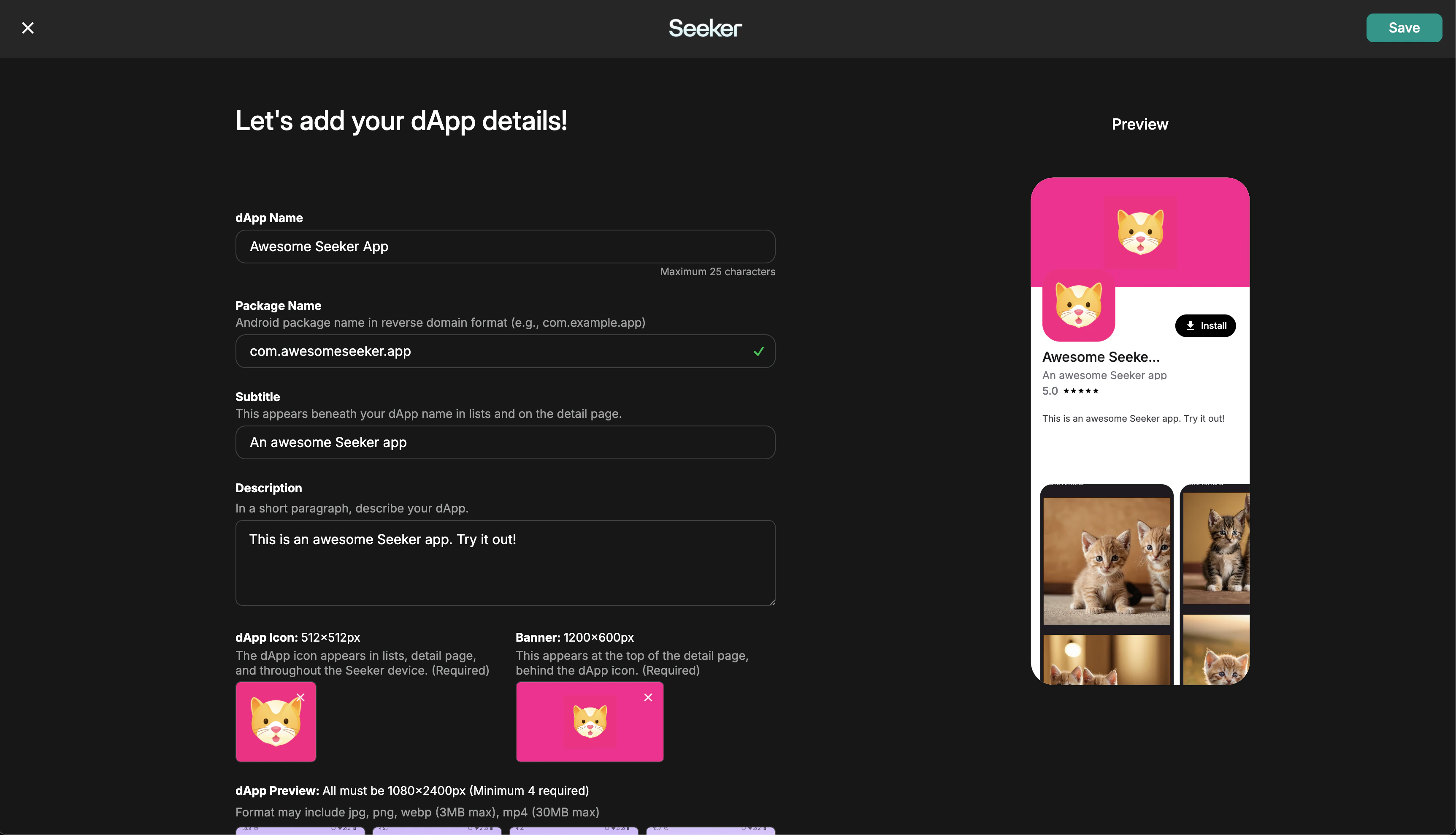
5. Submit your first release version
After adding your dApp, navigate to the app’s Home menu in the sidebar. In the top-right, press the “New Version” button to begin the APK upload process.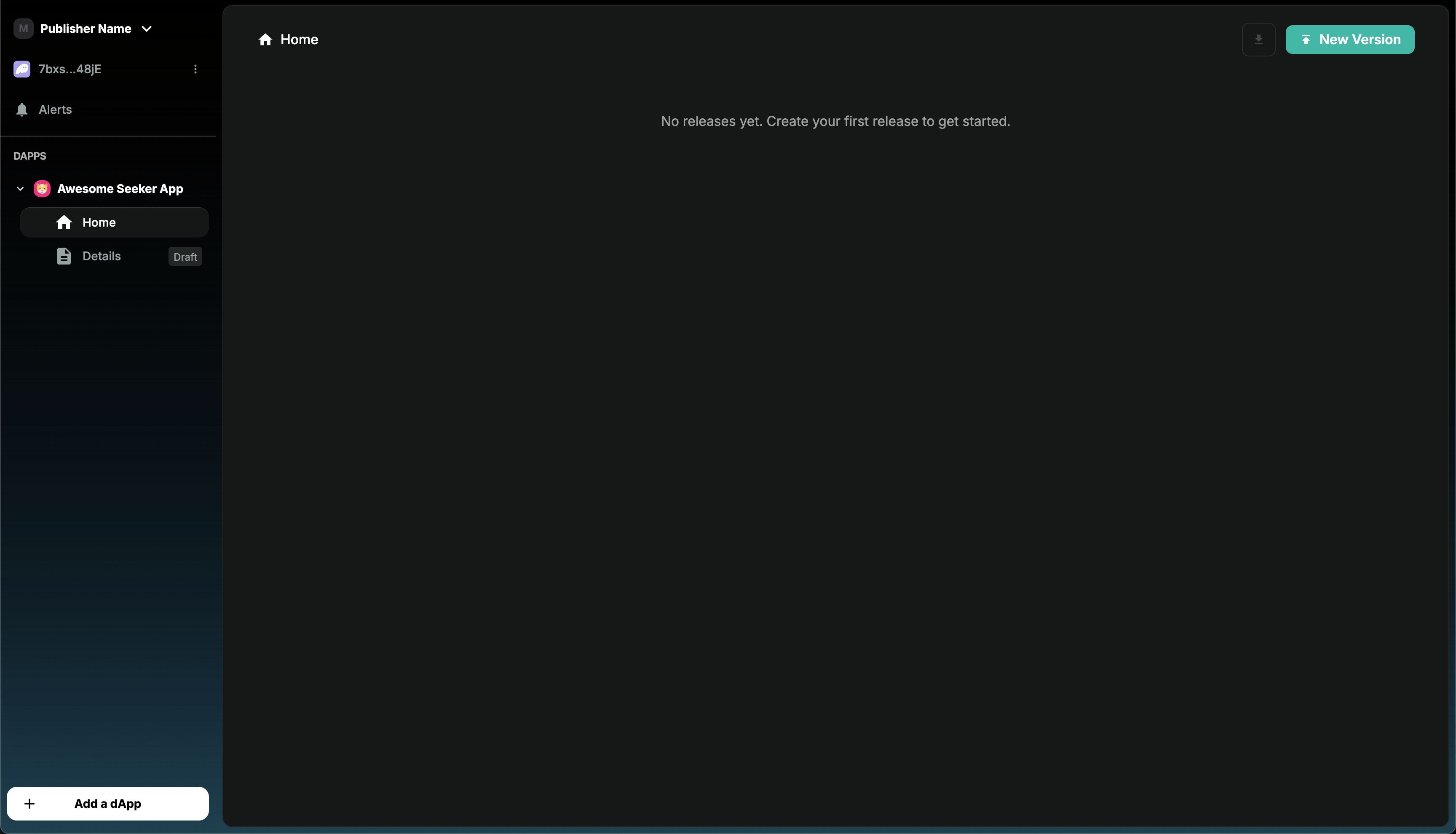
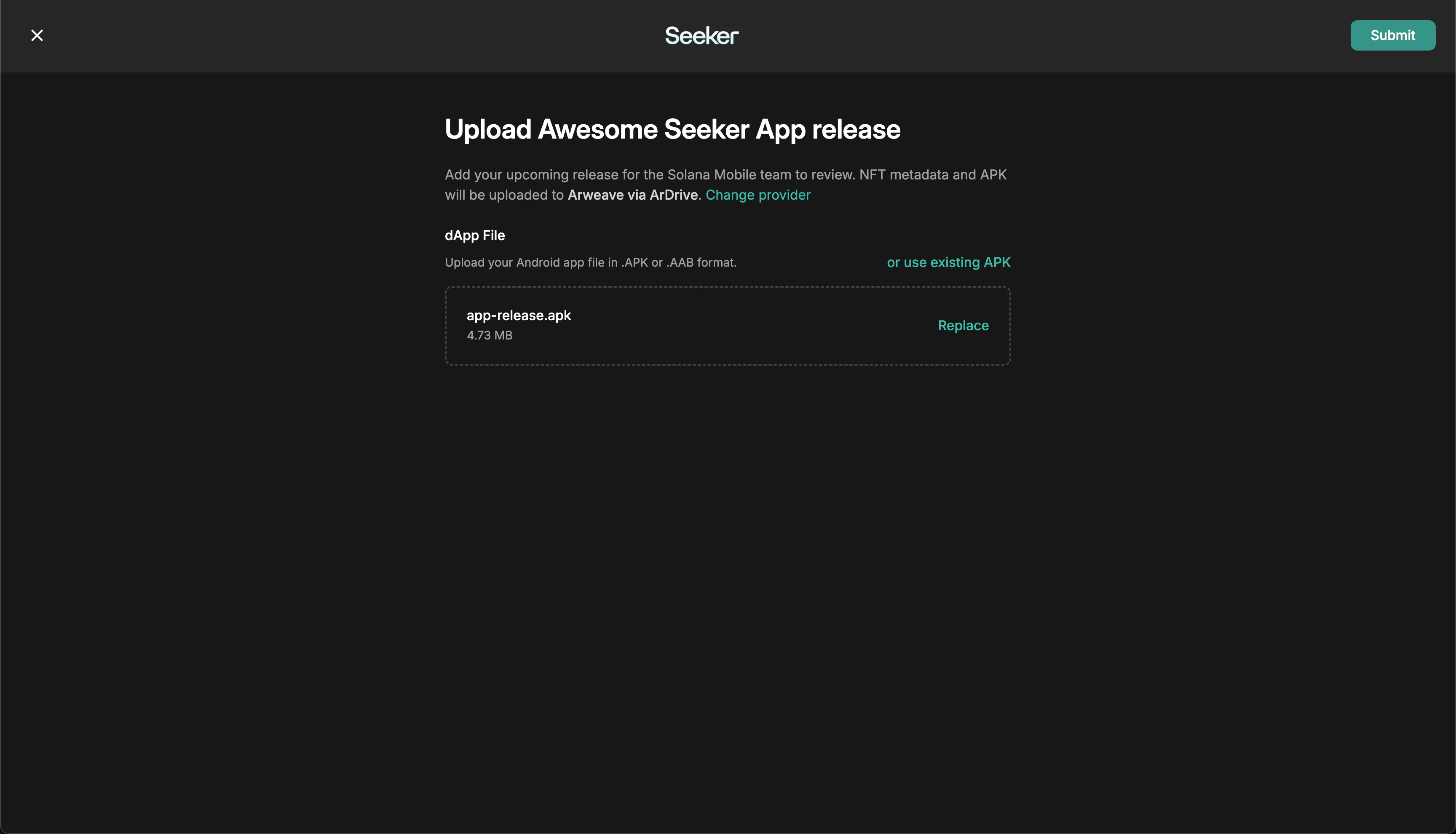
After Submission
Once submitted, your app automatically enters the app review queue and will go live immediately under an appropriate category once approved.App Review
- Review results are sent to your developer email from
publishersupport@dappstore.solanamobile.comwithin 3-5 business days. - Apps are reviewed in the order they are submitted.
- If you haven’t received a response after 5 business days, submit an App Review Inquiry in the
#dev-answerschannel on Discord.
Get Support
For questions about publishing, app review, or launching on the dApp Store, see the dApp Store Support page. Join the Solana Mobile Discord, get the Developer role, and use the#dev-answers channel for assistance.