

1. Navigate to the Publisher Portal
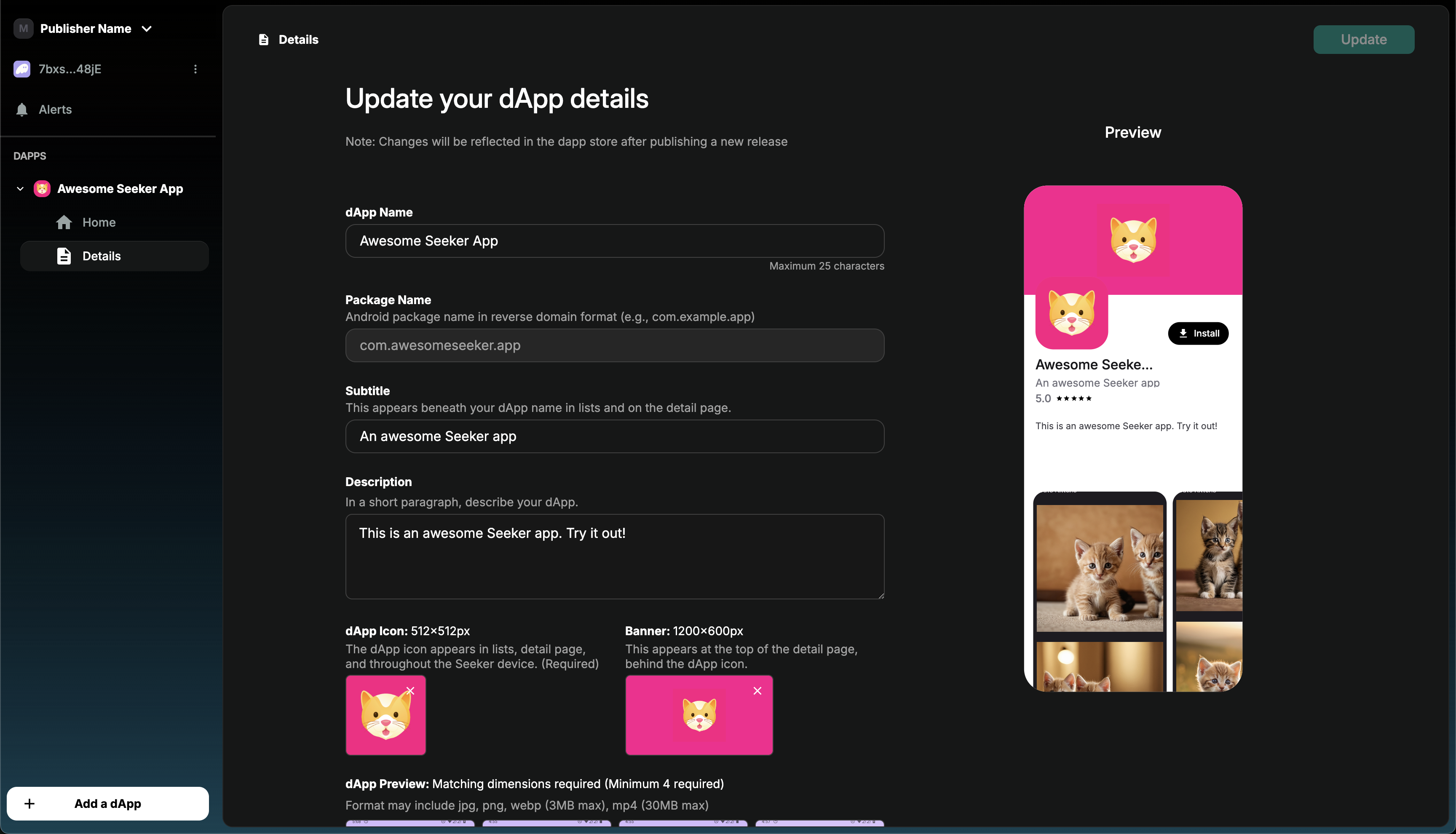
Log into the Solana dApp Publisher Portal and find your published app in the sidebar.2. Update your app details
If needed, you can make changes to your app details (e.g Name, Descriptions, Preview Assets, etc) in the “Details” page.NOTE:These changes will only reflect in the dApp Store after a new release version is approved
3. Submit an updated release version
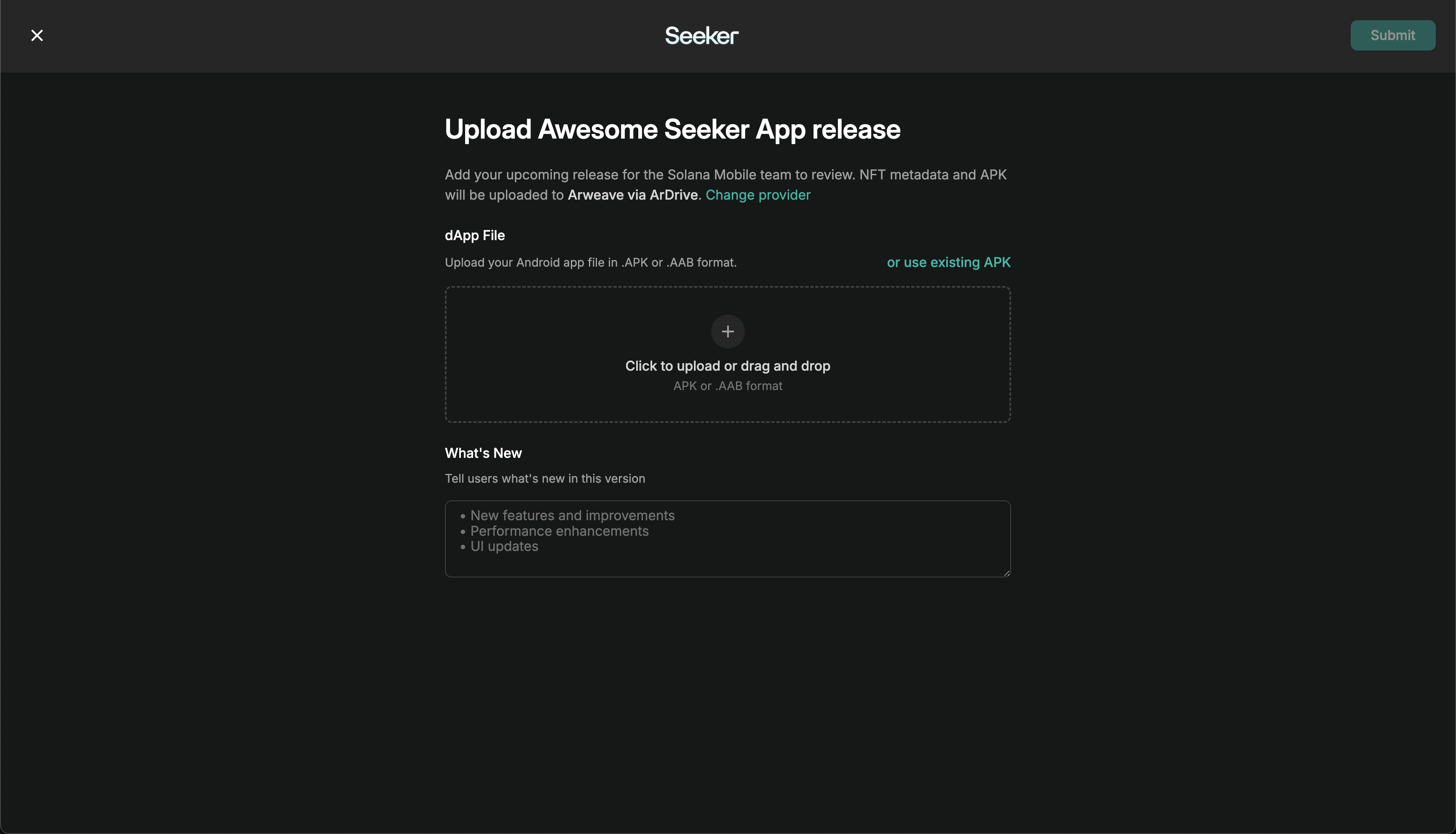
Navigate to your app’s “Home” screen and press the “New Version” button.Submit an existing APK
If you only want to make a change to your app details and do not want to submit a new APK build, then select the “use existing APK” option.Submit an updated APK
If you want to submit a new APK, ensure:- The APK is signed with the same Android signing key you used for your initial release.
- The
versionNameandversionCodevalue is properly incremented between each update. - The “What’s new” section is filled out. This section will be displayed to users in your dApp Store listing page.
After submission
Once submitted, the new release automatically enters the app review queue and will immediately go live once approved.App Review
- Review results are sent to your developer email from
publishersupport@dappstore.solanamobile.comwithin 3-5 business days. - Apps are reviewed in the order they are submitted.
- If you haven’t received a response after 5 business days, submit an App Review Inquiry in the
#dev-answerschannel on Discord.
Get Support
For questions about publishing, app review, or launching on the dApp Store, see the dApp Store Support page. Join the Solana Mobile Discord, get the Developer role, and use the#dev-answers channel for assistance.