Major web browsers (Chrome, Brave, Firefox, Edge, and others) are rolling out a change called
Local Network Access permissions. This change
breaks MWA wallet connections for mobile web apps and PWAs, because MWA communicates with
mobile wallets over the local network.
If your app is a mobile web app or PWA that uses Mobile Wallet Adapter, this
change will affect you. Update @solana-mobile/wallet-standard-mobile to
v0.5.0 or later to mitigate the issue.
With Local Network Access enforcement, browsers require explicit user permission before a
web page can connect to local network endpoints. Without the update, MWA wallet signing
requests will silently fail.
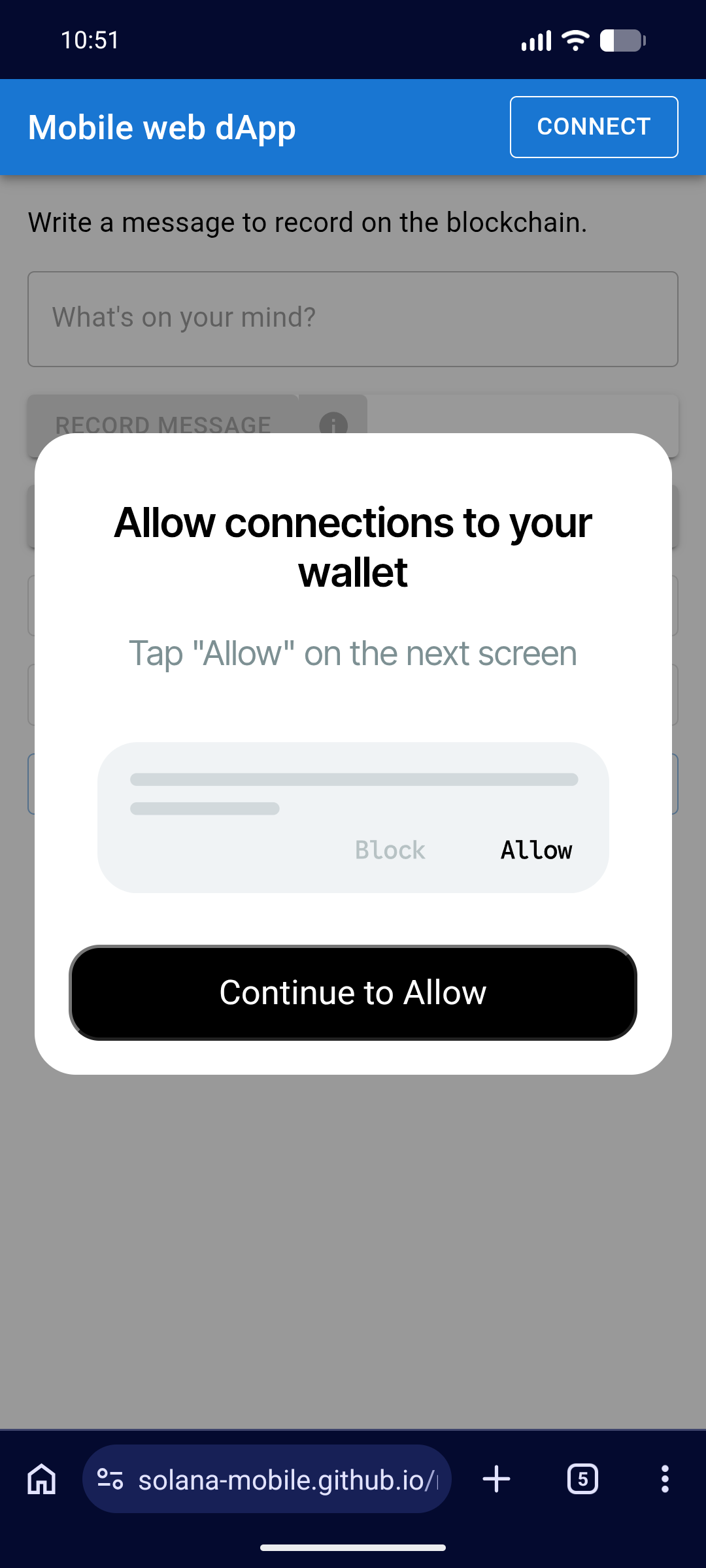
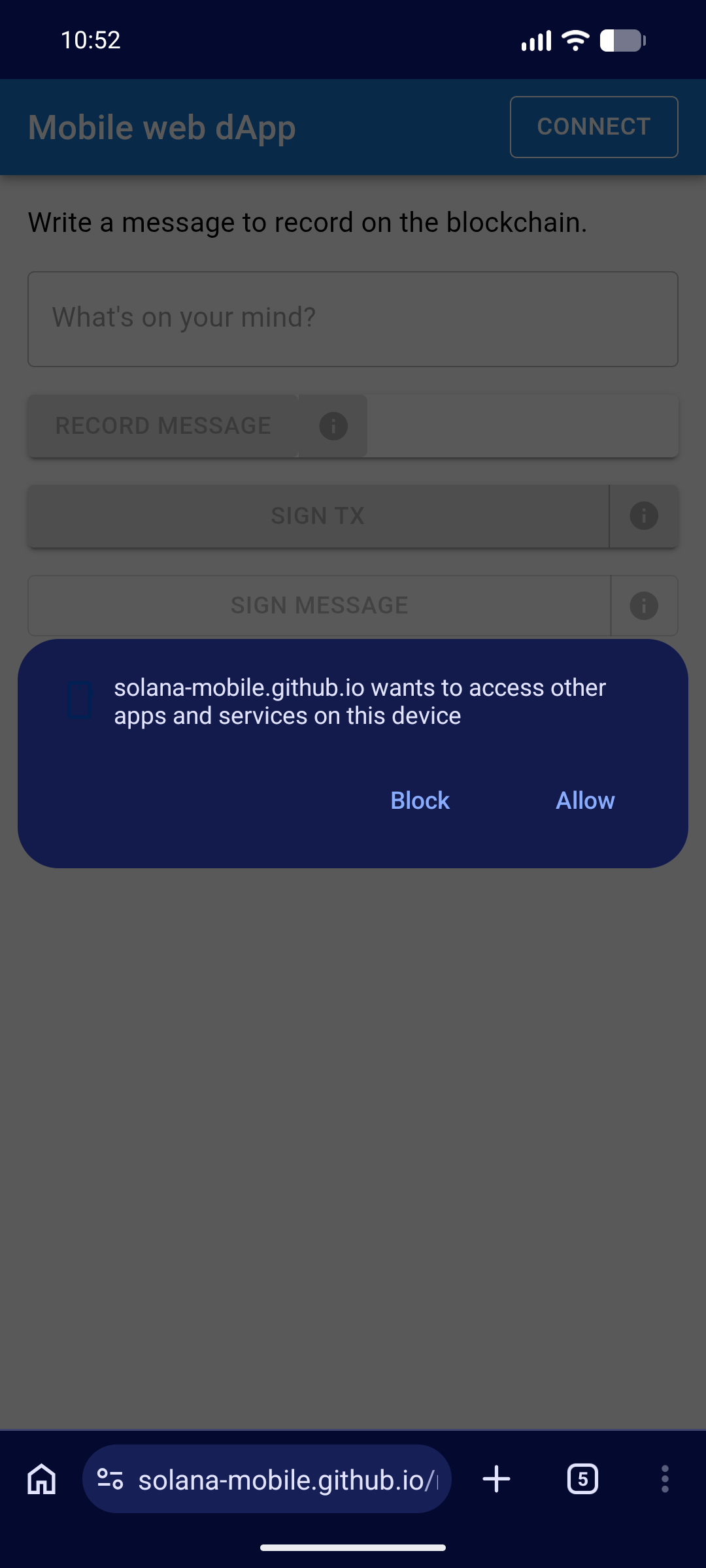
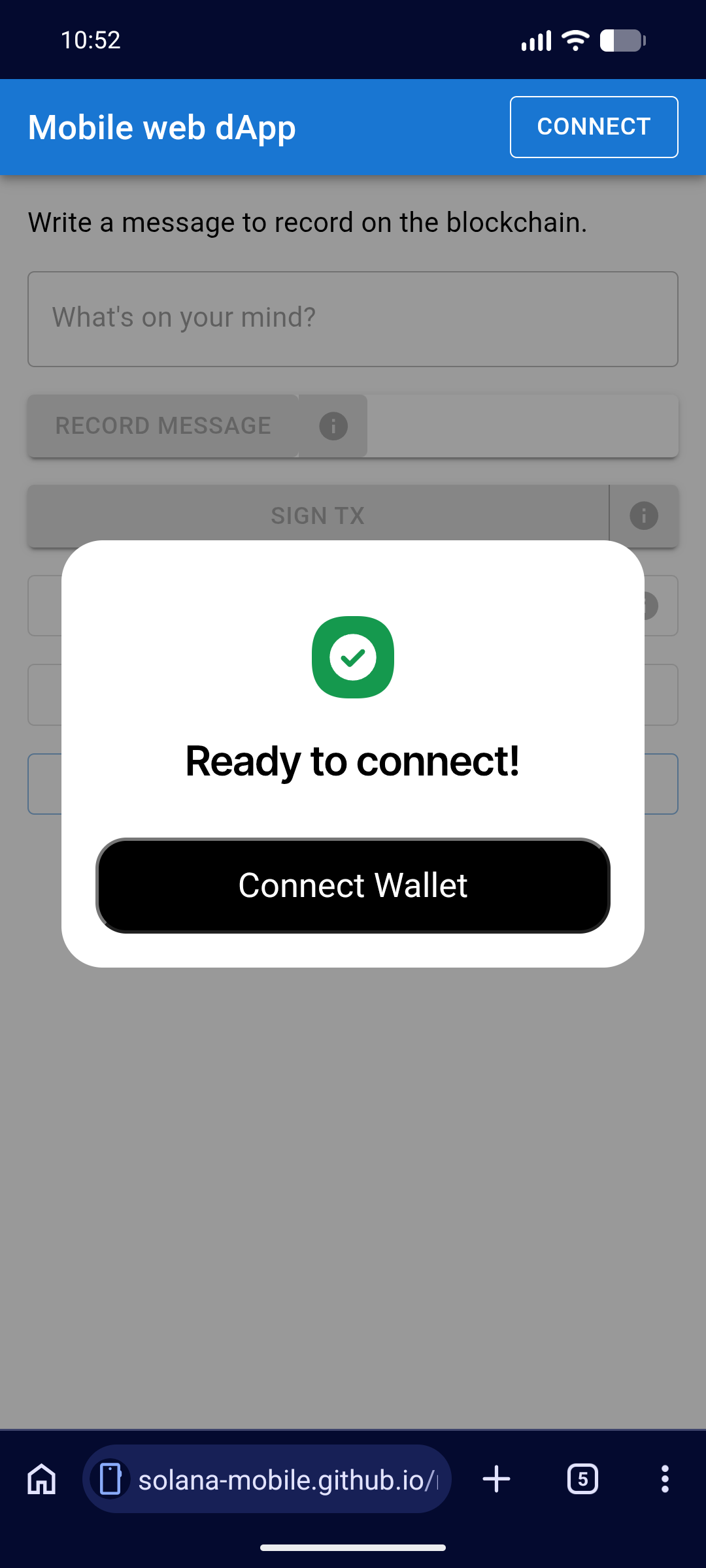
Open your app and trigger a wallet signing flow. You should see:
An informational dialog explaining what the upcoming permission is for.
Info dialog shown before the browser permission prompt.
The browser permission prompt asking the user to allow local network connections.
Browser permission prompt for local network access.
A success dialog confirming the permission was granted, with a button to connect the wallet.
Success dialog after granting the permission.
Once the user accepts, wallet signing works as normal. This prompt only appears once per
browser — it will not reappear unless the user resets their browser permissions.
3
Verify normal signing flow
After accepting the permission, confirm that subsequent wallet signing requests proceed
without any additional prompts.
The updated library handles the new browser requirement with minimal friction:
One-time prompt — Users see the browser permission request only once.
Contextual info dialog — Before the browser prompt, an informational dialog
explains why the permission is needed, so users are not surprised by the system prompt.
No ongoing impact — After granting the permission, the wallet signing flow behaves
exactly as before.
Mobile Wallet Adapter relies on local WebSocket connections between your app
and the wallet app on the device. With Local Network Access enforcement,
browsers now require explicit user permission before allowing these local
connections. The updated library detects whether this permission has been
granted and requests it before attempting a wallet connection.
Does this affect native Android apps?
No. This change only affects mobile web apps and PWAs running in a browser.
Native Android apps using MWA are not impacted.
What if a user denies the permission?
Wallet signing will not work until the user grants local network access. They
can update their browser permissions at any time through the browser’s site
settings.
Last modified on July 21, 2026
Assistant
Responses are generated using AI and may contain mistakes.