> ## Documentation Index
> Fetch the complete documentation index at: https://docs.solanamobile.com/llms.txt
> Use this file to discover all available pages before exploring further.
# Local Network Access Permission
> Handle the browser Local Network Access permission change that affects MWA wallet connections in mobile web apps and PWAs.
## Overview
Major web browsers (Chrome, Brave, Firefox, Edge, and others) are rolling out a change called
[Local Network Access](https://developer.chrome.com/blog/local-network-access) permissions. This change
**breaks MWA wallet connections** for mobile web apps and PWAs, because MWA communicates with
mobile wallets over the local network.
If your app is a mobile web app or PWA that uses Mobile Wallet Adapter, this
change **will** affect you. Update `@solana-mobile/wallet-standard-mobile` to
**v0.5.0 or later** to mitigate the issue.
## What happens
With Local Network Access enforcement, browsers require explicit user permission before a
web page can connect to local network endpoints. Without the update, MWA wallet signing
requests will silently fail.
## How to update
The mitigation is already built into the library — **no code changes are needed**. Just update the
package version and verify that wallet signing works.
Update to **v0.5.0 or later**. That's it — no implementation changes required.
```bash theme={null}
npm install @solana-mobile/wallet-standard-mobile@latest
```
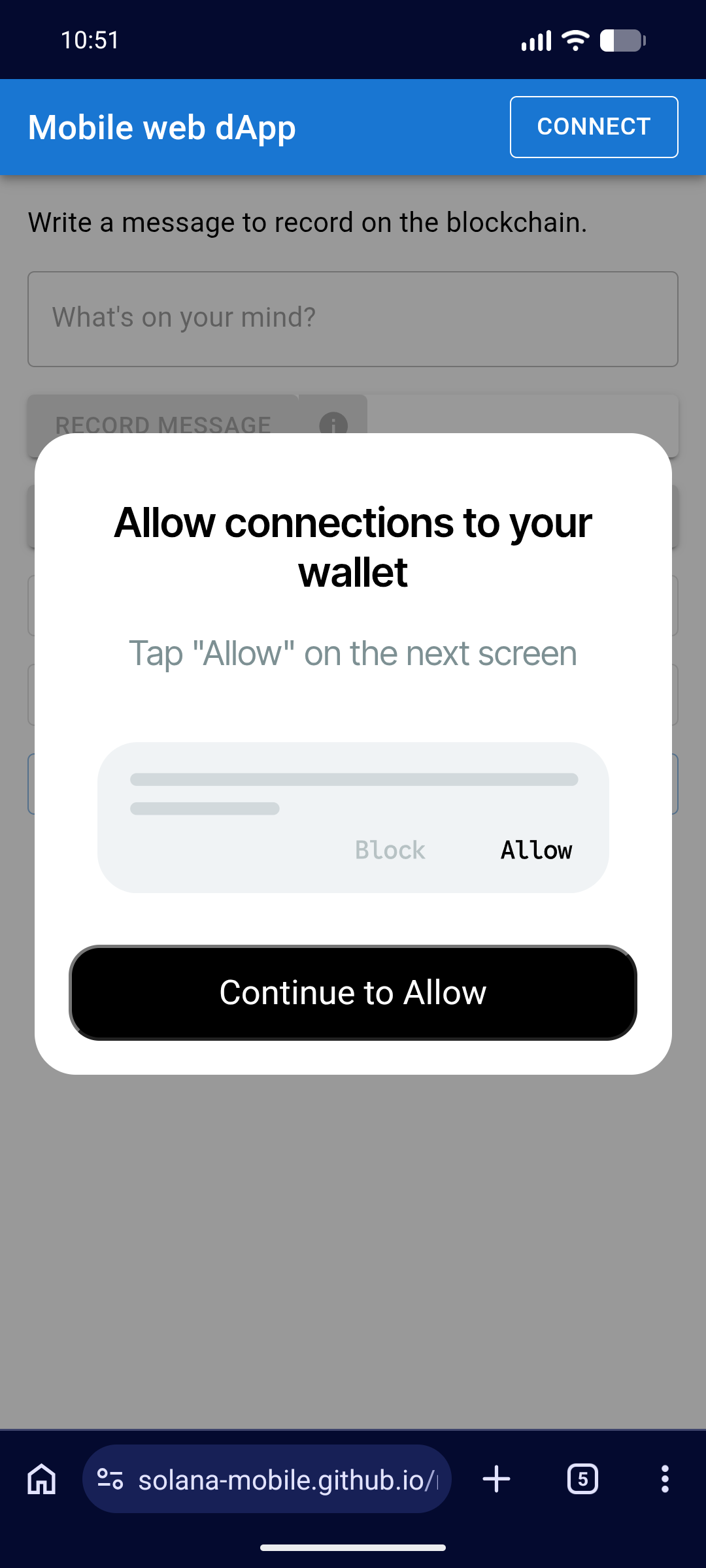
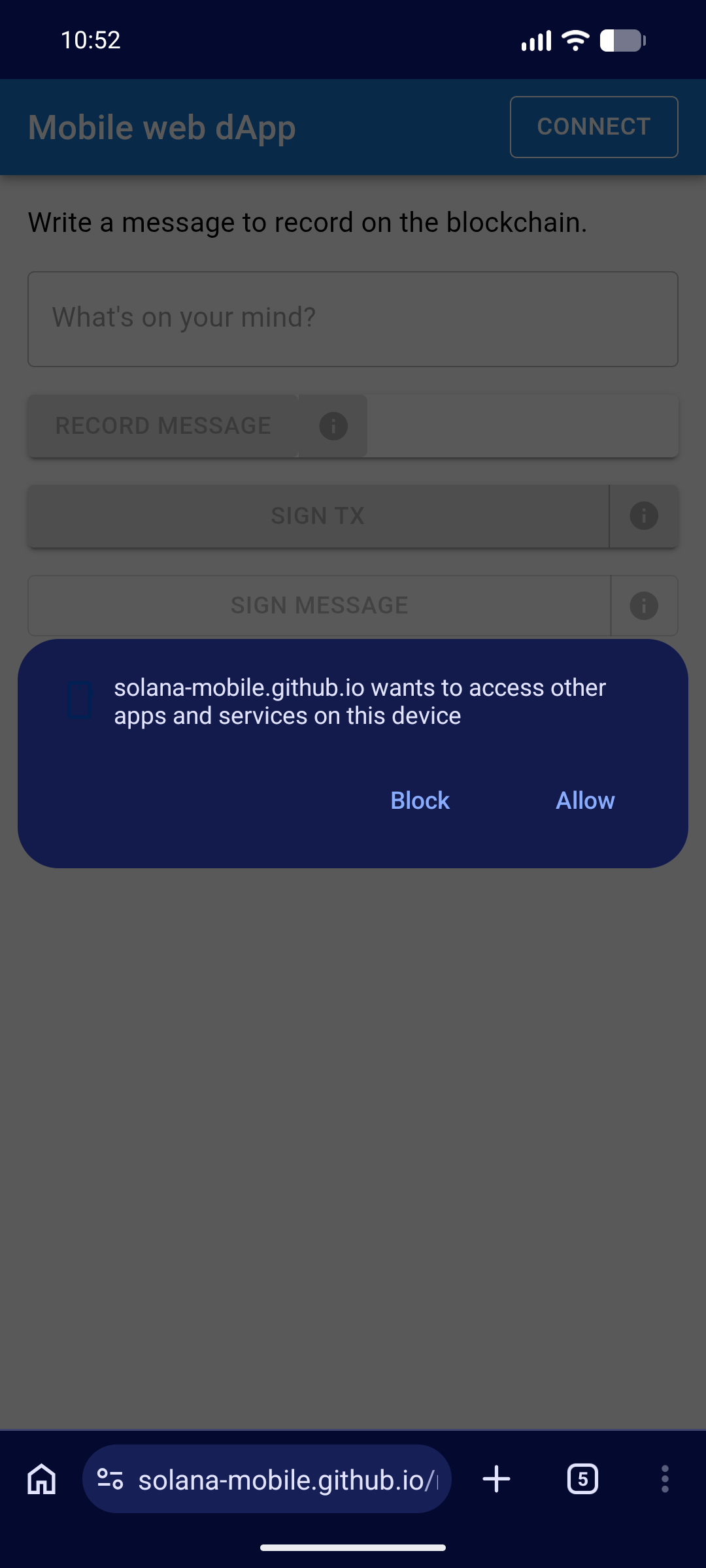
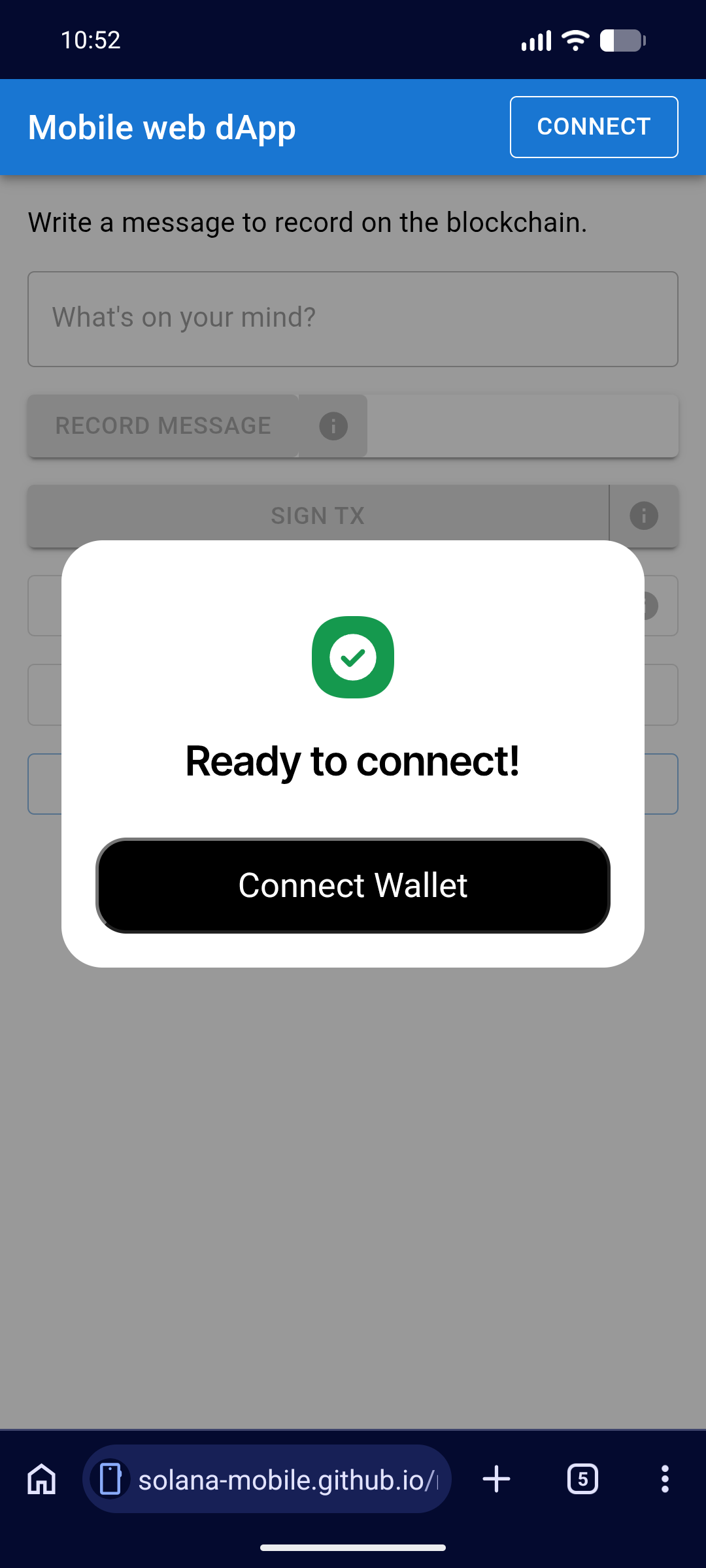
Open your app and trigger a wallet signing flow. You should see:
1. An **informational dialog** explaining what the upcoming permission is for.
 2. The **browser permission prompt** asking the user to allow local network connections.
 3. A **success dialog** confirming the permission was granted, with a button to connect the wallet.
 Once the user accepts, wallet signing works as normal. This prompt only appears **once** per
browser — it will not reappear unless the user resets their browser permissions.
After accepting the permission, confirm that subsequent wallet signing requests proceed
without any additional prompts.
## User experience
The updated library handles the new browser requirement with minimal friction:
* **One-time prompt** — Users see the browser permission request only once.
* **Contextual info dialog** — Before the browser prompt, an informational dialog
explains why the permission is needed, so users are not surprised by the system prompt.
* **No ongoing impact** — After granting the permission, the wallet signing flow behaves
exactly as before.
## FAQ
Mobile Wallet Adapter relies on local WebSocket connections between your app
and the wallet app on the device. With Local Network Access enforcement,
browsers now require explicit user permission before allowing these local
connections. The updated library detects whether this permission has been
granted and requests it before attempting a wallet connection.
No. This change only affects mobile web apps and PWAs running in a browser.
Native Android apps using MWA are not impacted.
Wallet signing will not work until the user grants local network access. They
can update their browser permissions at any time through the browser's site
settings.
Once the user accepts, wallet signing works as normal. This prompt only appears **once** per
browser — it will not reappear unless the user resets their browser permissions.
After accepting the permission, confirm that subsequent wallet signing requests proceed
without any additional prompts.
## User experience
The updated library handles the new browser requirement with minimal friction:
* **One-time prompt** — Users see the browser permission request only once.
* **Contextual info dialog** — Before the browser prompt, an informational dialog
explains why the permission is needed, so users are not surprised by the system prompt.
* **No ongoing impact** — After granting the permission, the wallet signing flow behaves
exactly as before.
## FAQ
Mobile Wallet Adapter relies on local WebSocket connections between your app
and the wallet app on the device. With Local Network Access enforcement,
browsers now require explicit user permission before allowing these local
connections. The updated library detects whether this permission has been
granted and requests it before attempting a wallet connection.
No. This change only affects mobile web apps and PWAs running in a browser.
Native Android apps using MWA are not impacted.
Wallet signing will not work until the user grants local network access. They
can update their browser permissions at any time through the browser's site
settings.